Phishing is one of the most common and dangerous forms of online crime. It doesn’t rely on hacking complex systems—it targets something much easier and more powerful: human trust. Every day, millions of people receive messages designed to look legitimate but are actually traps meant to steal passwords, money, or personal information. Many victims never realize what happened until their accounts are already compromised.
Understanding how phishing works is one of the most important digital security skills you can learn.
What Is Phishing?
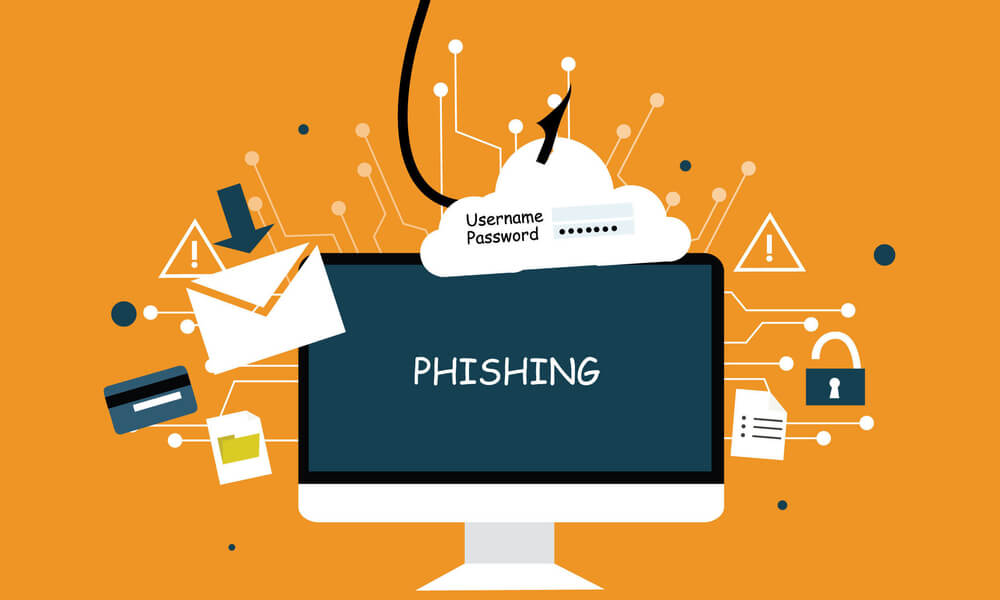
Phishing is a type of cyberattack where criminals pretend to be trusted organizations or people in order to trick you into revealing sensitive information. This may include:
-
Login credentials
-
Credit card numbers
-
Bank account details
-
One-time security codes
-
Identity information
Phishing can arrive through:
-
Emails
-
Text messages (smishing)
-
Phone calls (vishing)
-
Social media messages
-
Fake websites and pop-ups
The goal is always the same: to make you act before you think.
Why Phishing Works So Well
Phishing attacks succeed because they use psychological pressure. Scammers often rely on:
-
Urgency (“Your account will be locked!”)
-
Fear (“Suspicious activity detected!”)
-
Authority (“This is your bank/security department”)
-
Opportunity (“You’ve won a prize!”)
-
Curiosity (“Someone mentioned you in a private message”)
When people feel rushed or scared, they are far more likely to click without verifying.
Common Types of Phishing Attacks
-
Fake Bank or Payment Alerts
You may receive a message claiming your bank account has suspicious activity and asking you to “verify” your login. The link leads to a fake website designed to steal your credentials. -
Delivery and Package Scams
These claim a problem with a delivery and ask you to click a link to reschedule. The link installs malware or steals card details. -
Account Suspension Warnings
Scammers pretend to be social media platforms, streaming services, or cloud storage providers, warning that your account will be closed unless you act immediately. -
Prize and Giveaway Scams
Messages claim you’ve won money, a phone, or a vacation—but require personal information or a “small processing fee” first. -
Work and Invoice Phishing
Attackers impersonate coworkers, managers, or suppliers to trick people into sending payments or sensitive documents.
How Fake Websites Fool People
Phishing websites are designed to look exactly like real ones. They may:
-
Use stolen logos and branding
-
Copy layouts and colors
-
Use addresses that look real at a glance
-
Automatically redirect after stealing your data
Many people only realize they were fooled after their real account is already under attack.
Major Red Flags You Should Never Ignore
Most phishing attempts show warning signs if you know what to look for. Be suspicious if a message:
-
Pressures you to act immediately
-
Asks for passwords or security codes
-
Uses generic greetings (“Dear user”)
-
Contains spelling or grammar errors
-
Has strange sender addresses
-
Includes unexpected attachments
-
Sends shortened or suspicious links
Legitimate companies do not ask for sensitive data through random messages.
Why Clicking a Link Can Be Enough
You don’t always have to enter information to be attacked. Some links can install:
-
Keyloggers that record your typing
-
Spyware that tracks activity
-
Malware that steals stored data
-
Ransomware that locks your files
This is why digital security is not just about what you type—it’s also about what you click.
How to Protect Yourself from Phishing
Strong digital habits dramatically reduce your risk:
-
Never click links in unexpected messages
-
Always go directly to official websites by typing the address yourself
-
Never share one-time security codes
-
Enable two-factor authentication on all major accounts
-
Keep devices and browsers updated
-
Use spam filters and report suspicious messages
-
Verify requests by contacting the company directly through official channels
When in doubt, always assume the message could be fake until proven real.
What to Do If You’ve Already Clicked or Shared Information
If you believe you’ve fallen for a phishing attempt, speed matters. Immediately:
-
Change your passwords on affected accounts
-
Enable or reset two-factor authentication
-
Check recent account activity
-
Contact your bank or service provider
-
Run antivirus and malware scans
-
Monitor your accounts closely for unusual behavior
The faster you act, the more damage you can prevent.
Why Phishing Is a Financial Threat, Not Just a Tech Issue
Phishing is not just about stolen logins—it is a direct financial weapon. Once attackers control your email or payment accounts, they can:
-
Reset passwords on multiple platforms
-
Drain bank accounts
-
Make unauthorized purchases
-
Apply for loans in your name
-
Lock you out of your own identity
Many cases of financial ruin begin with a single click on a fake link.
Final Thoughts
Phishing works because it looks real, sounds urgent, and targets human emotion. The best defense is not advanced technology—it is awareness and caution. When you slow down, verify, and refuse to react emotionally to digital messages, you take away a scammer’s greatest weapon.
Digital security is not only about devices—it is about behavior. Every safe decision you make online strengthens your protection.